سجّل عيادتكRegister your clinic
من «ابدأ مجاناً» اختار «عيادة»، واكتب بيانات العيادة وبياناتك كصاحب عيادة، واختار الباقة. الفترة المجانية بتبدأ على طول ومن غير بطاقة بنك.From “Start free” choose “Clinic”, enter the clinic’s details and yours as the owner, and pick a plan. The free period starts right away, with no bank card.
- اسم العيادة بالعربي والإنجليزي، والعنوان والتخصصThe clinic name in Arabic and English, the address and the specialty
- اسمك وموبايلك وإيميلك وكلمة سرYour name, mobile, e-mail and a password
- الباقة: تقدر تغيّرها بعدين من «العيادة › الاشتراك»The plan: you can change it later from “Clinic › Subscription”
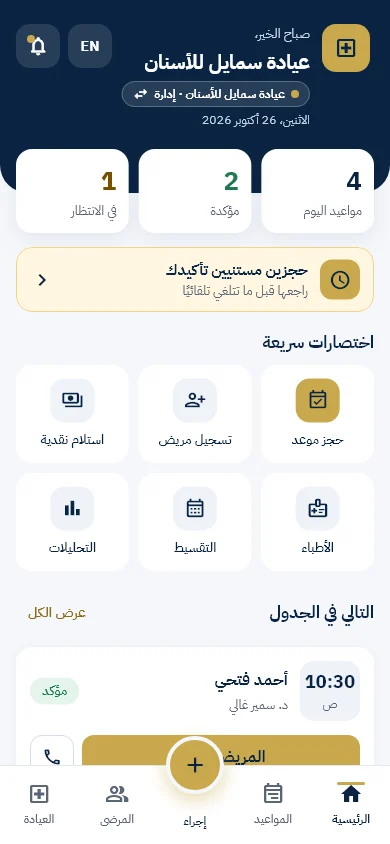
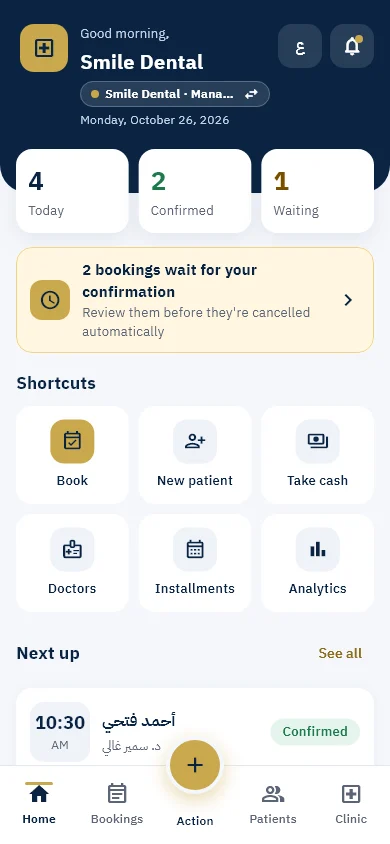
الرئيسية: يومك في نظرةHome: your day at a glance
أول ما تفتح: مواعيد النهارده والمؤكدة واللي مستنية، تنبيه بالحجوزات اللي محتاجة تأكيد، واختصارات لأكتر حاجات بتعملها، وجدول النهارده.As soon as you open it: today’s appointments, the confirmed and the waiting ones, an alert for bookings that need confirming, shortcuts for what you do most, and today’s schedule.
- الكبسولة اللي تحت اسم العيادة بتبدّل بين عياداتك أو بروفايلاتكThe pill under the clinic name switches between your clinics or profiles
- الزرار الدهبي في النص = «إجراء سريع»The gold button in the middle is “Quick action”
- على الكمبيوتر نفس التابات بتبقى قايمة على الجنبOn a computer the same tabs become a menu on the side
ضيف أطباءك وفريقكAdd your doctors and team
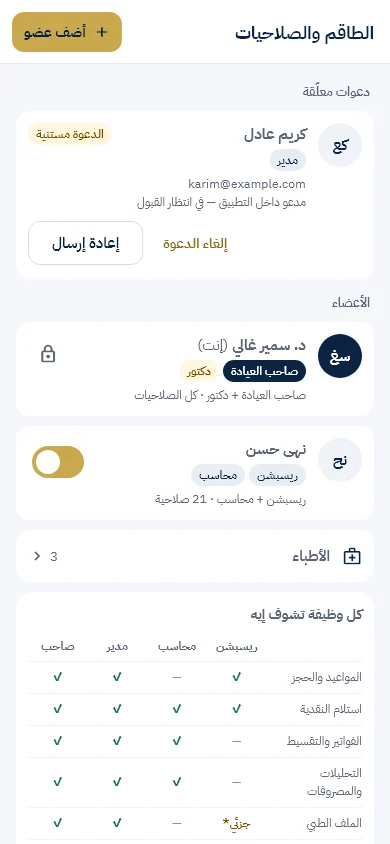
من «العيادة › الفريق» ابعت دعوة بالإيميل، واختار لكل حد وظيفته: مدير، ريسبشن، محاسب، دكتور — أو أكتر من وظيفة.From “Clinic › Team” send an invitation by e-mail and choose each person’s role: manager, reception, accountant, doctor — or more than one role.
- الدكتور اللي عنده حساب: دوّر عليه وابعتله دعوة، وهو يقبل أو يرفضA doctor who already has an account: search for them and send an invitation, and they accept or decline
- كل دكتور بيحدد ساعات شغله بنفسه، والمدير يشوفها بسEach doctor sets their own working hours; the manager can only see them
- الصلاحيات بتتطبق في النظام نفسه، مش في الشاشة بسPermissions are enforced in the system itself, not just on the screen
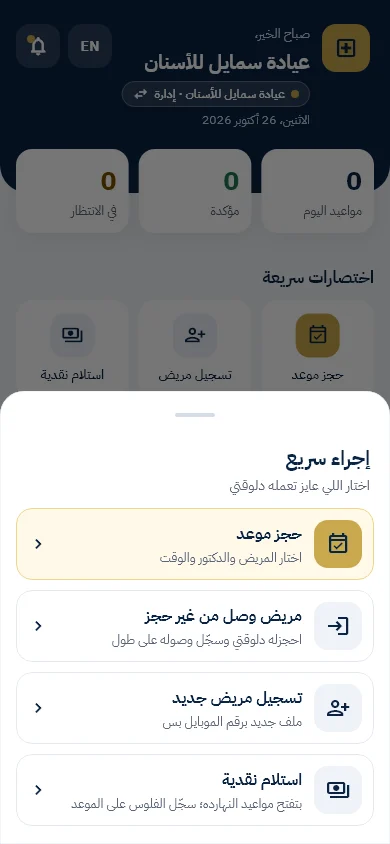
إجراء سريعQuick action
الزرار الدهبي بيفتح أهم الحاجات اللي الريسبشن بيعملها طول اليوم:The gold button opens what reception does all day:
- حجز موعد: اختار المريض والدكتور والوقتBook an appointment: choose the patient, the doctor and the time
- مريض وصل من غير حجز: يتحجزله ويتسجّل وصوله على طولA walk-in patient: booked and checked in straight away
- مسح بطاقة مريض: بالكاميرا أو برقم الملفScan a patient card: with the camera or by file number
- تسجيل مريض جديد واستلام نقديةRegister a new patient and receive cash
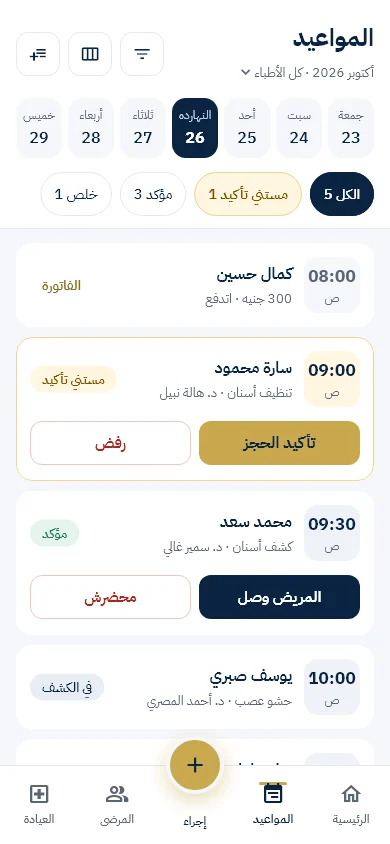
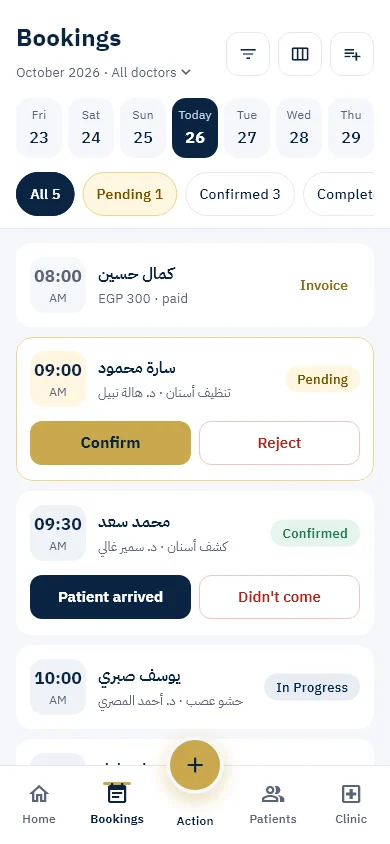
المواعيدAppointments
اختار اليوم والدكتور، وفلتر بالحالة. كل موعد عليه الزرار المناسب لحالته:Choose the day and the doctor, and filter by status. Each appointment has the button that fits its status:
- «محضرش» بيظهر بعد ميعاد الموعد بس، وبيتحسب على المريض“No-show” appears only after the appointment time, and counts against the patient
- الحجوزات اللي محدش رد عليها بتتنبه الأول وبعدين بتتلغي لوحدهاBookings nobody answered raise an alert first and are then cancelled automatically
- على الكمبيوتر: القايمة وتفاصيل الموعد جنب بعضOn a computer: the list and the appointment details side by side
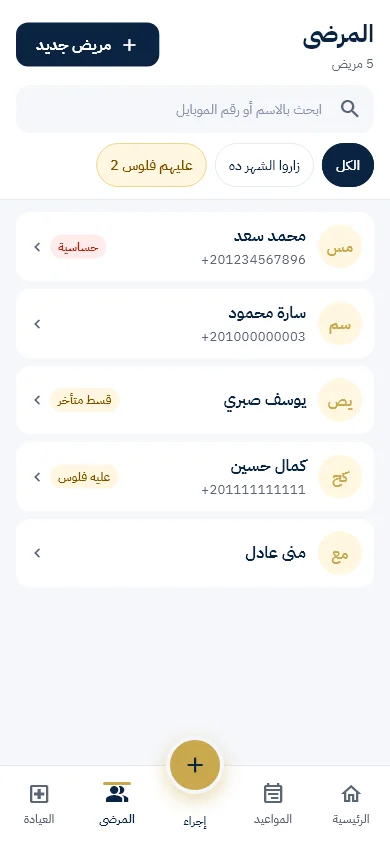
المرضىPatients
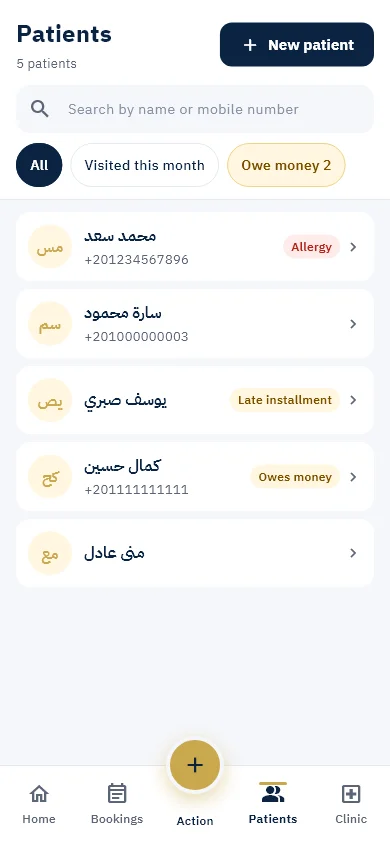
دوّر بالاسم أو الموبايل، وفلتر بسرعة: زار الشهر ده، عليه فلوس، عنده حساسية، قسط متأخر.Search by name or mobile and filter quickly: visited this month, owes money, has an allergy, late instalment.
- صفحة المريض: مواعيده وفواتيره وملفاتهThe patient page: appointments, invoices and files
- ارفع تحاليل وملفات للمريض من العيادةUpload test results and files for the patient from the clinic
- ساعد المريض يغيّر كلمة السر لو نسيهاHelp the patient change their password if they forgot it
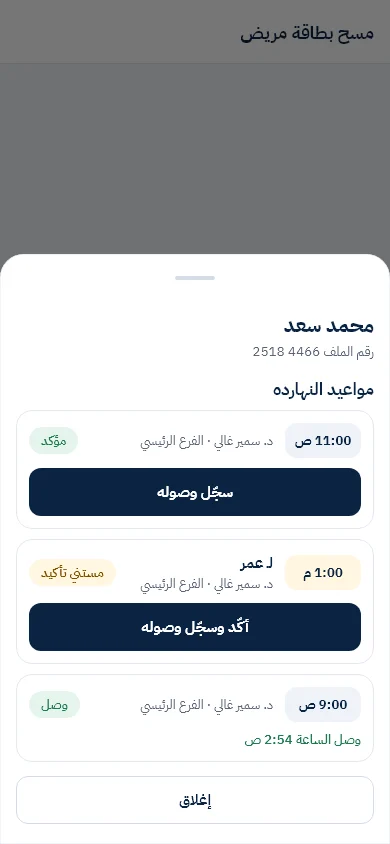
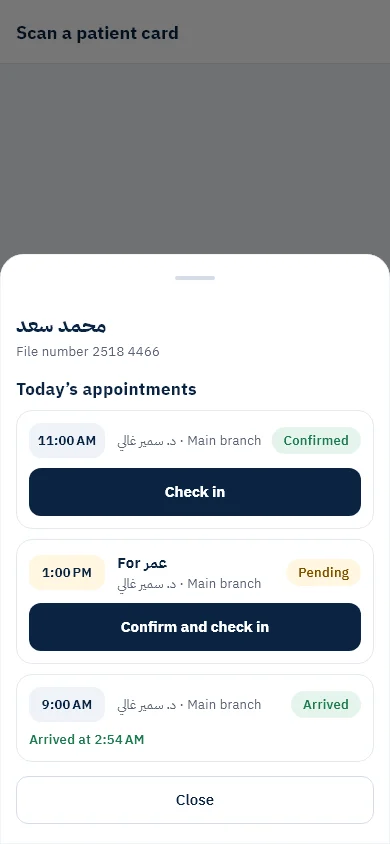
المريض وصل: بطاقة المريضThe patient has arrived: the patient card
«إجراء سريع › مسح بطاقة مريض»، ووجّه الكاميرا على الـ QR اللي في «حسابي» عند المريض — أو اكتب رقم الملف (8 أرقام).“Quick action › Scan a patient card”, and point the camera at the QR in the patient’s “My account” — or type the file number (8 digits).
- موعد مؤكد ← «سجّل وصوله»Confirmed appointment ← “Check in”
- موعد مستني تأكيد ← «أكّد وسجّل وصوله»Waiting appointment ← “Confirm and check in”
- مفيش موعد النهارده ← «احجز وسجّل وصوله»No appointment today ← “Book and check in”
- الكاميرا شغالة على الموبايل وعلى المتصفح كمانThe camera works on the phone and in the browser too
التأمينInsurance
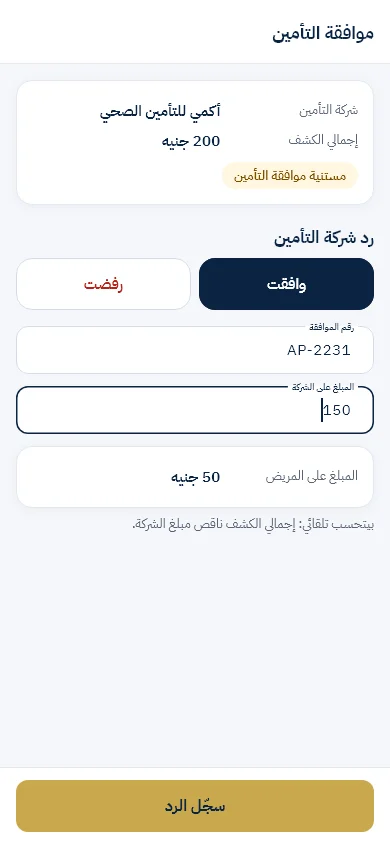
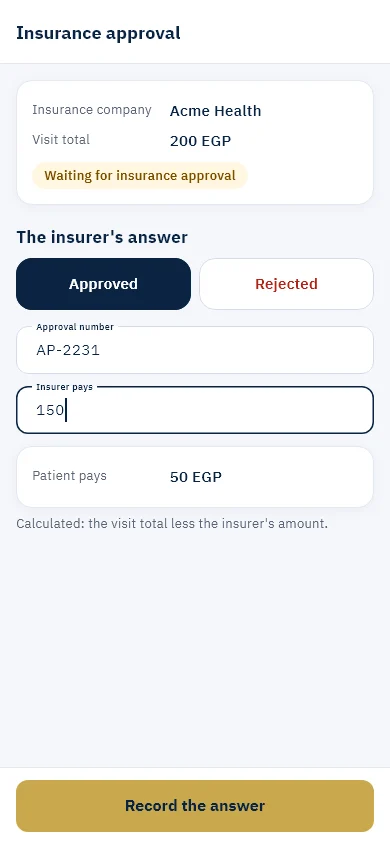
من «العيادة › إعداد العيادة › التأمين» اختار الشركات اللي بتقبلها. المريض يقدر يحجز «بالتأمين»، وانت تسجّل الموافقة من صفحة الزيارة.From “Clinic › Clinic setup › Insurance” choose the companies you accept. A patient can book “with insurance”, and you record the approval from the visit page.
- الحالة: مستنية موافقة، اتوافق، اترفضThe status: waiting for approval, approved, rejected
- رقم الموافقة، وعلى الشركة كام وعلى المريض كام، وصورة لو حاببThe approval number, how much the company pays and how much the patient pays, and a photo if you like
- لو اترفضت: المريض يدفع كاش أو الموعد يتلغيIf it is rejected: the patient pays cash or the appointment is cancelled
الفواتير والتقسيطInvoices and instalments
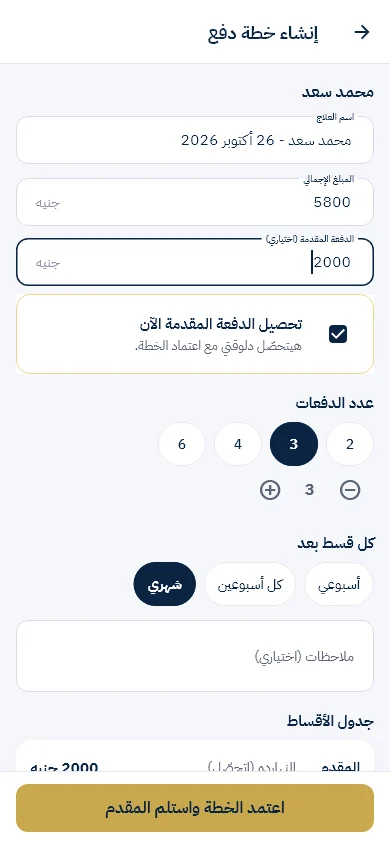
بعد الكشف الدكتور بيكتب الفاتورة بالإجراءات، وانت تحوّلها لخطة تقسيط على كذا زيارة وتتابع اللي اتدفع واللي باقي.After the visit the doctor writes the invoice by procedures, and you turn it into an instalment plan over several visits and follow what is paid and what is left.
- «استلام نقدية» على أي موعد النهارده“Receive cash” on any appointment today
- المريض بيوصله تذكير قبل القسطThe patient gets a reminder before an instalment
- فلتر «قسط متأخر» في المرضىThe “late instalment” filter in Patients
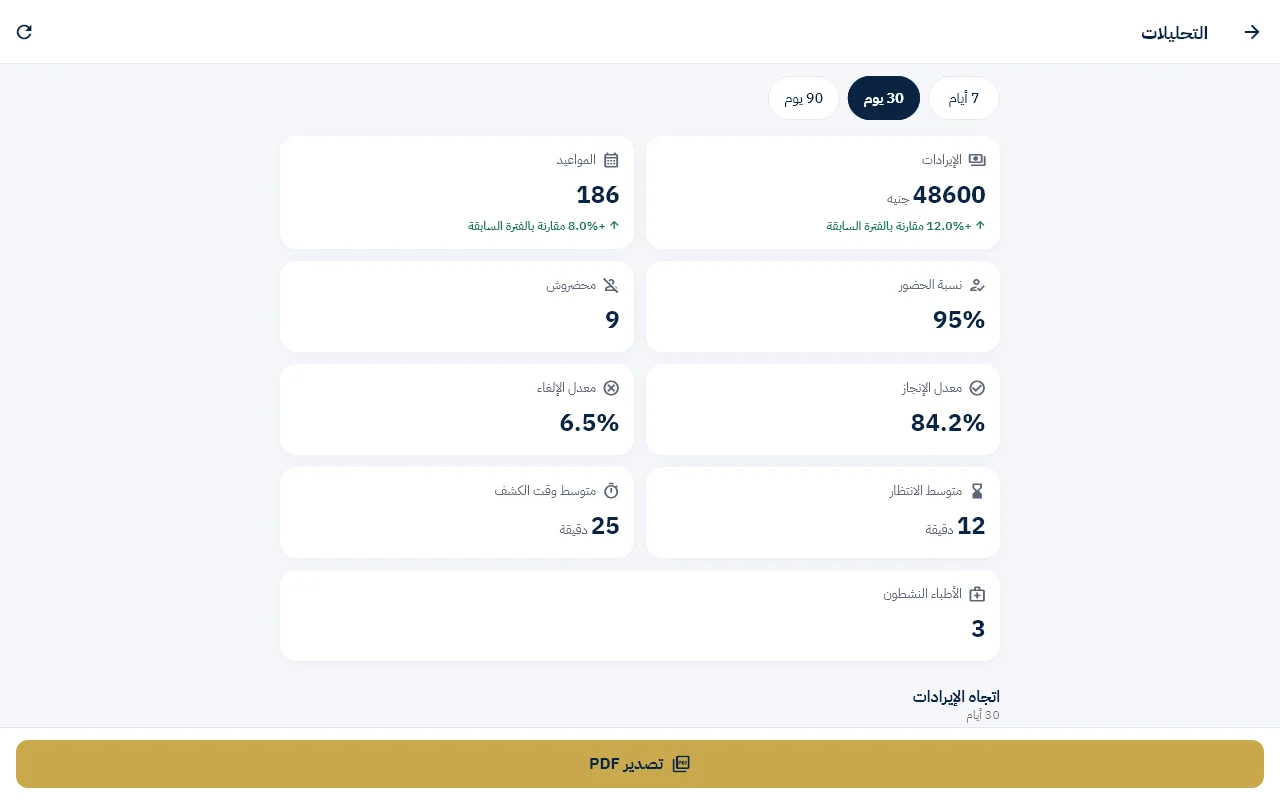
التحليلاتAnalytics
المواعيد والإيراد وأكتر الأطباء وأوقات الزحمة، لآخر أسبوع أو شهر أو 3 شهور. ومع المصروفات والموردين تعرف صافي ربح العيادة.Appointments, revenue, the busiest doctors and peak hours, for the last week, month or three months. With expenses and suppliers you know the clinic’s net profit.